软件简介:
RIME 输入法也叫中州韵,而 Windows 下他叫小狼毫,小狼毫输入法他开源免费,无广告,并且独特之处在于他不只于拼音,还有注音、仓颉、速成、五笔、双拼、宫保拼音、粤拼、吴语、中古汉语拼音、五笔画、Emoji、国际音标…..甚至你可以亲手来创作属于自己理想的输入法。
下载地址:
迅雷盘:https://pan.xunlei.com/s/VOzyHJMEpaeX8naDRDr9gpVQA1?pwd=2cgt#
夸克盘:https://pan.quark.cn/s/16580443111c
百度盘:https://pan.baidu.com/s/1908uAZe7732Wv3UYHHKwGg?pwd=anyz
软件截图:
安装过程可根据需要勾选
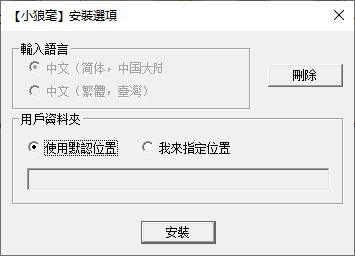
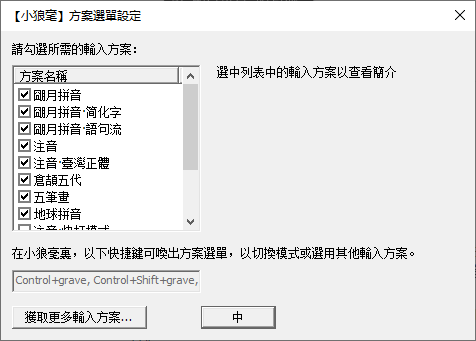
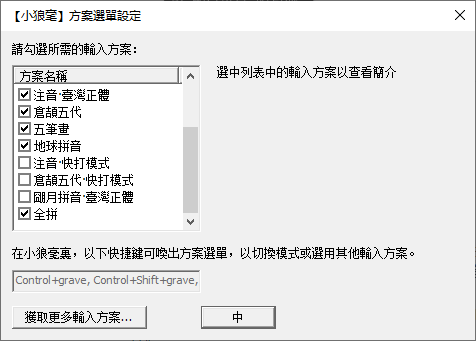
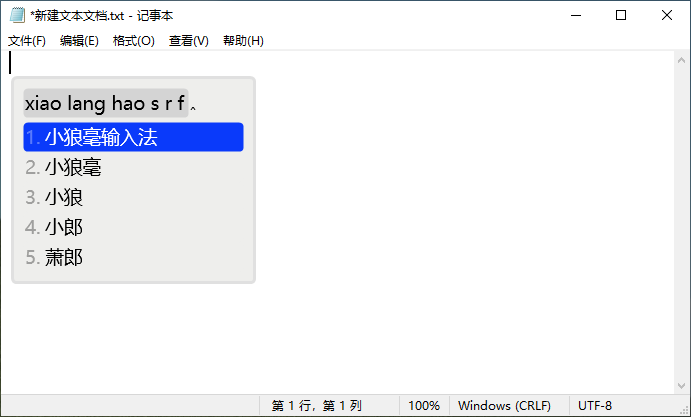
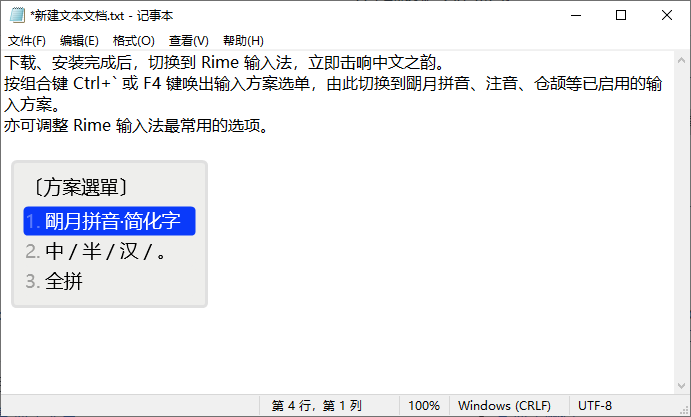
安装完成后也可以实用快捷键 CTRL+~或者 F4更改选项
支持系统:
该版本开始仅支持 Windows 8.1, Windows 10, Windows 11
如需要在windows7下使用可在下载目录下载旧版(下载地址网盘里也有)
小狼毫 0.14.3 适用于 Windows 7, Windows 8/8.1, Windows 10(不再更新)
https://github.com/rime/weasel/releases/download/0.14.3/weasel-0.14.3.0-installer.exe
小狼毫 0.9.30 适用于 Windows XP SP3(不再更新)
https://github.com/rime/weasel/releases/download/0.9.30/weasel-0.9.30.0-installer.exe
使用说明
https://github.com/rime/home/wiki/UserGuide
源码下载
https://rime.im/code
输入方案推荐:
四叶草拼音:https://github.com/fkxxyz/rime-cloverpinyin
雾凇拼音:https://github.com/iDvel/rime-ice
雾凇拼音、空山五笔方案整合包:小狼毫输入法配置方案整合包 | 雾凇拼音、空山五笔(2.1)
薄荷输入法:https://mintimate.cc/